

Game-Changing Wireless Casting Technology
Cast from multiple laptops to multiple displays with two-way touch support for interactive flat panels. Natively integrates with the award-winning HoverCam ORBIT wireless document camera for effortless classroom use.
✓ Not On Your Network
Isolated & secure
✓ No Software or Drivers
Factory pre-configured
✓ No Subscription Fees
Pay once, own forever
The only truly "plug-&-do-nothing" wireless casting technology.
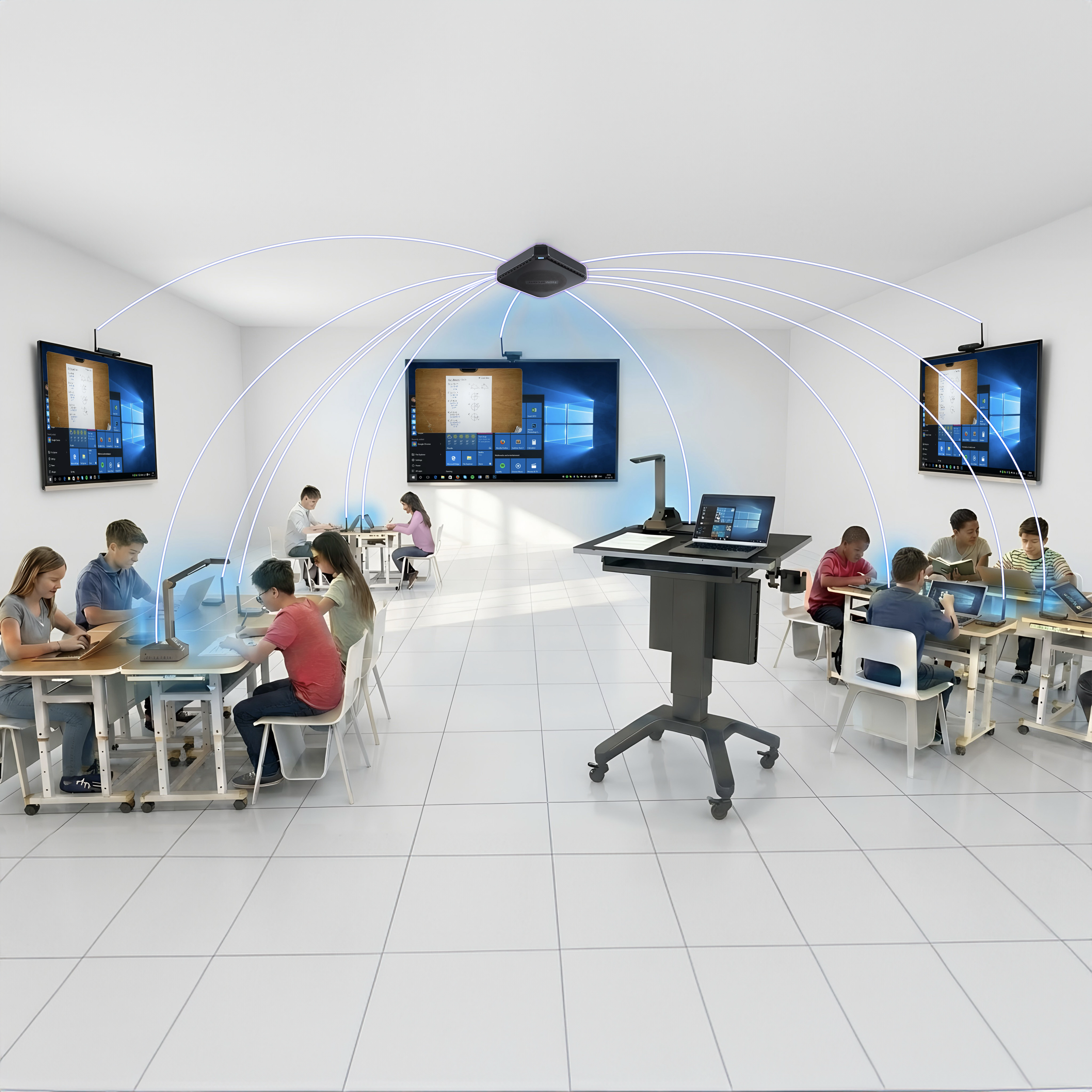
How It Works
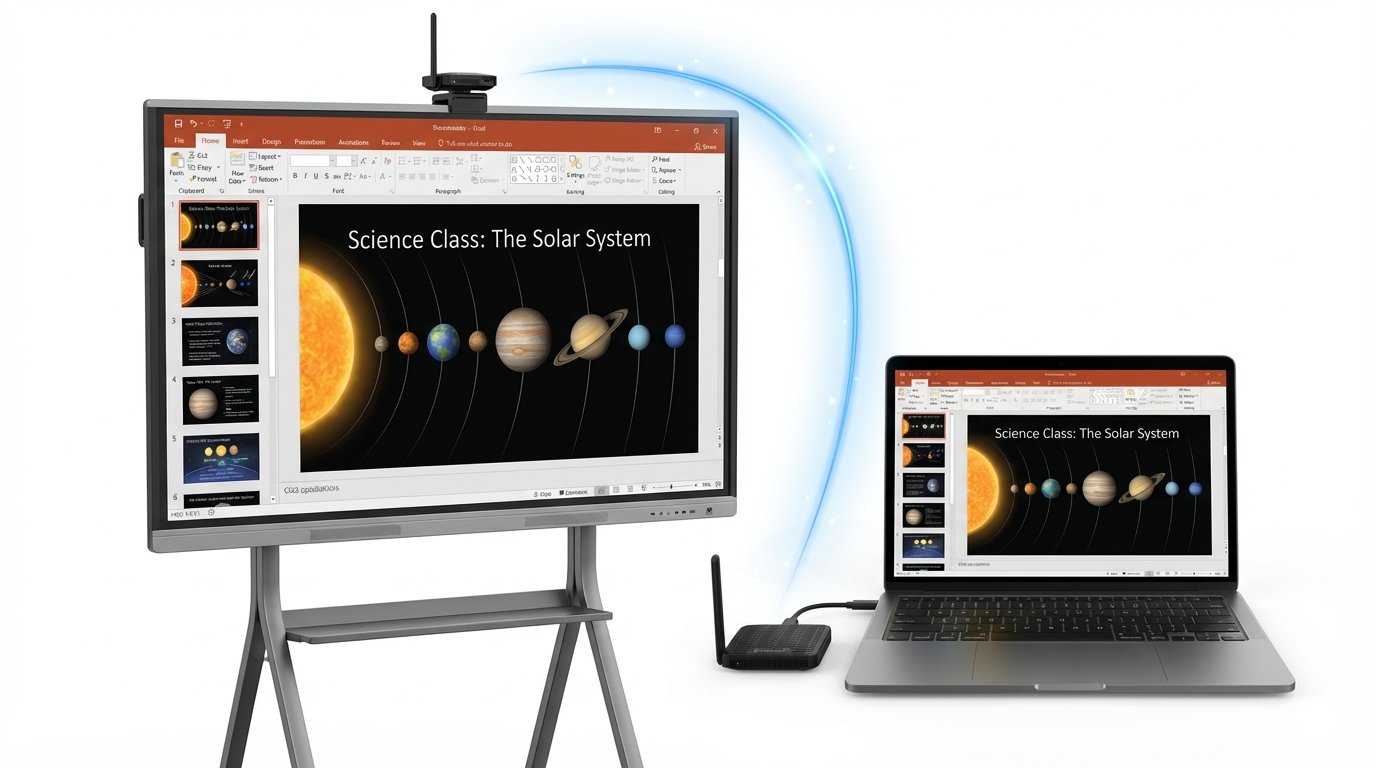
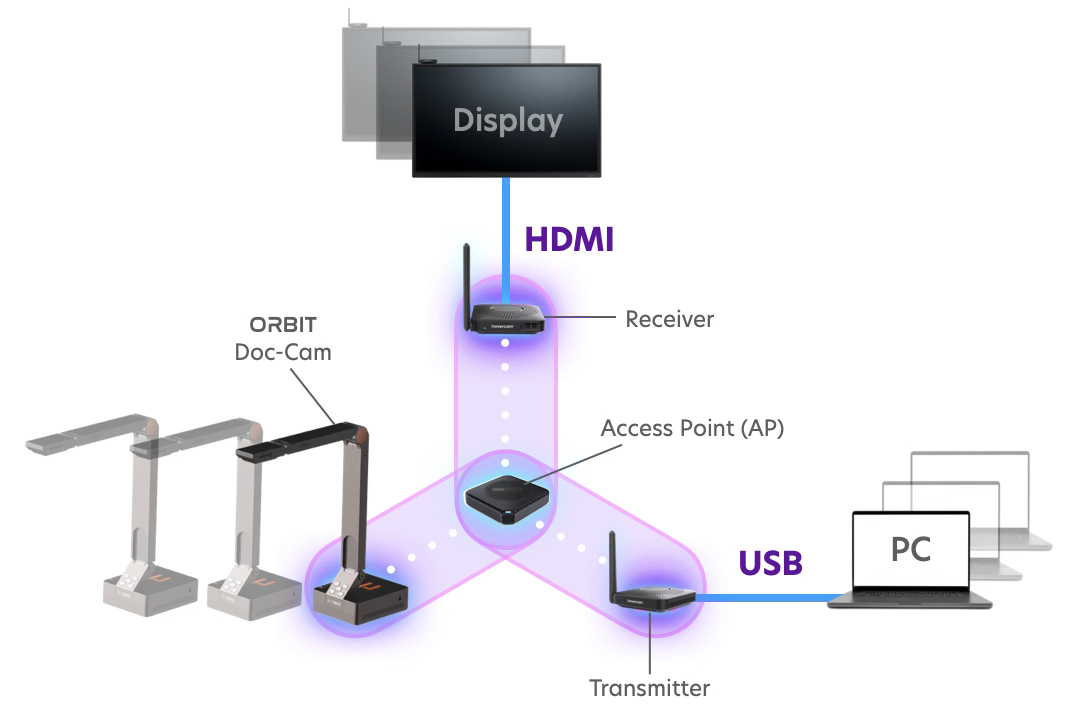
DreamLink leverages a unique wireless-wired hybrid network architecture that seamlessly turns wired USB and/or HDMI connections into wireless links. As a result, remote displays appear to your computer as locally connected HDMI monitors, and a camera positioned across the room functions just like a local USB webcam.
This innovative approach allows you to cast desktops from multiple computers to multiple Interactive Flat Panels (IFPs), large-format displays, or TVs simply by plugging in DreamLink dongles via USB cables. There's no need to enter SSIDs or passwords, install network drivers, or download any apps. It delivers genuine plug-and-play, hassle-free wireless casting with dream-like simplicity.
A key advantage of DreamLink is its built-in security. By encapsulating all wireless networking complexities within the SoC-powered dongles and end nodes, DreamLink creates an isolated segment that never touches your existing network infrastructure. It connects to computers and other smart devices exclusively through secure wired links (USB or HDMI), providing a natural "fire gap" that significantly reduces risks in the event of a network-based attack.
Beyond Basic Casting
DreamLink scales from simple one-to-one casting to a complete classroom matrix ecosystem. Explore five deployment scenarios below.
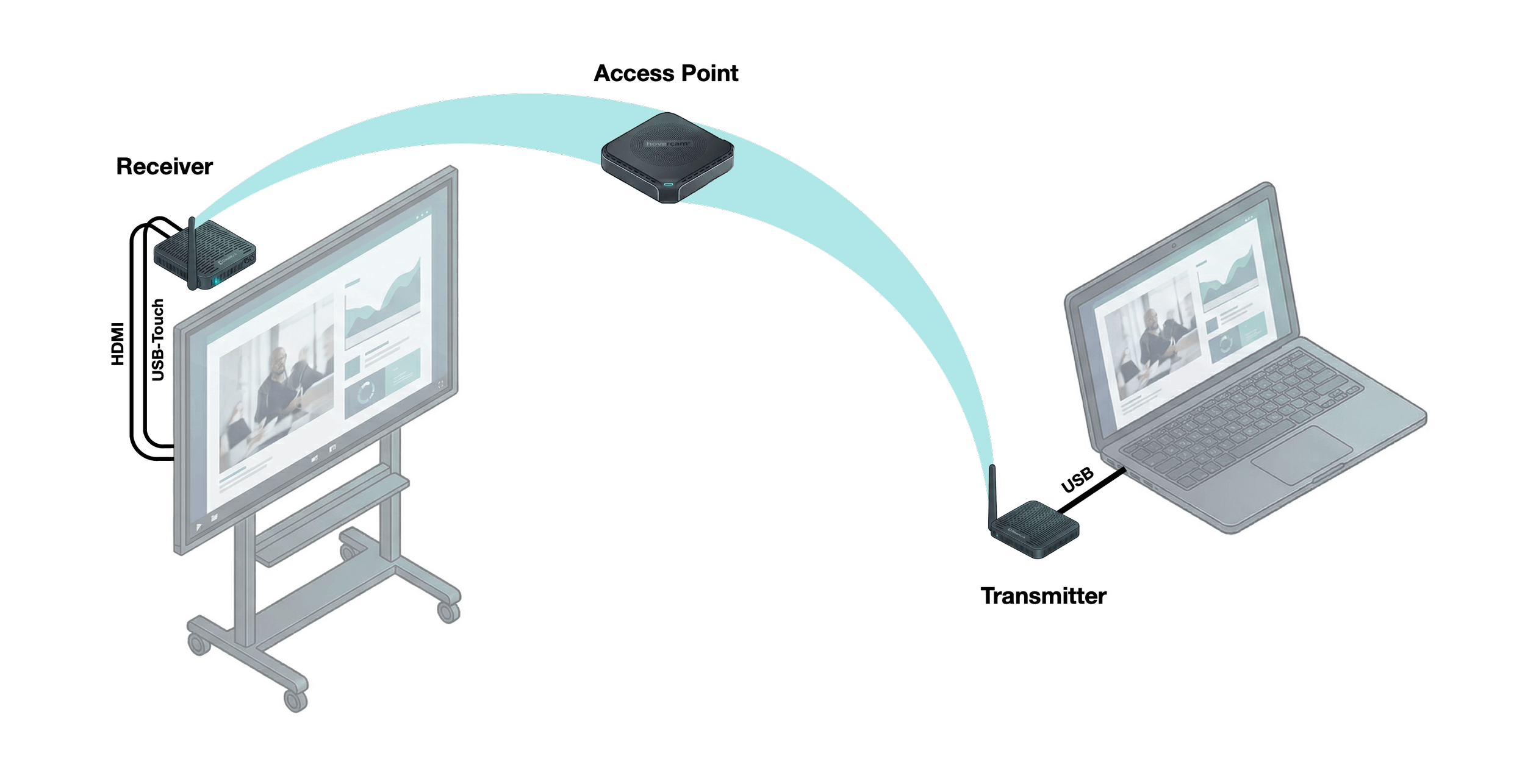
One-to-One Casting
The foundation: cast from one computer to one display.
- Transmitter connects to laptop via single USB-C cable (HDMI via DisplayPort Alt Mode)
- Transmitter wirelessly communicates to Access Point (AP)
- AP relays signal to receiver mounted on display
- Receiver connects via HDMI (video) + optional USB-Touch (interactive control)
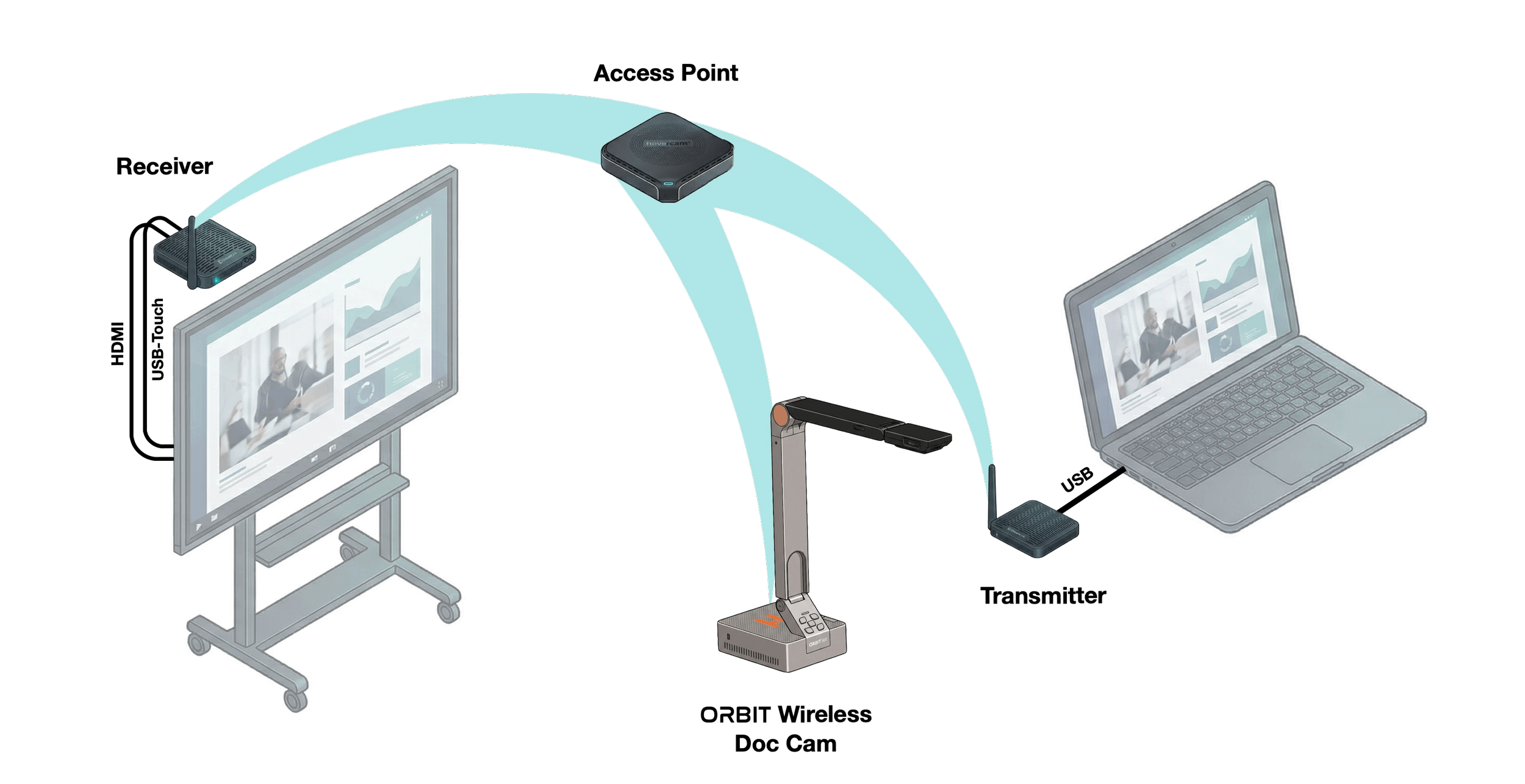
Add a Document Camera
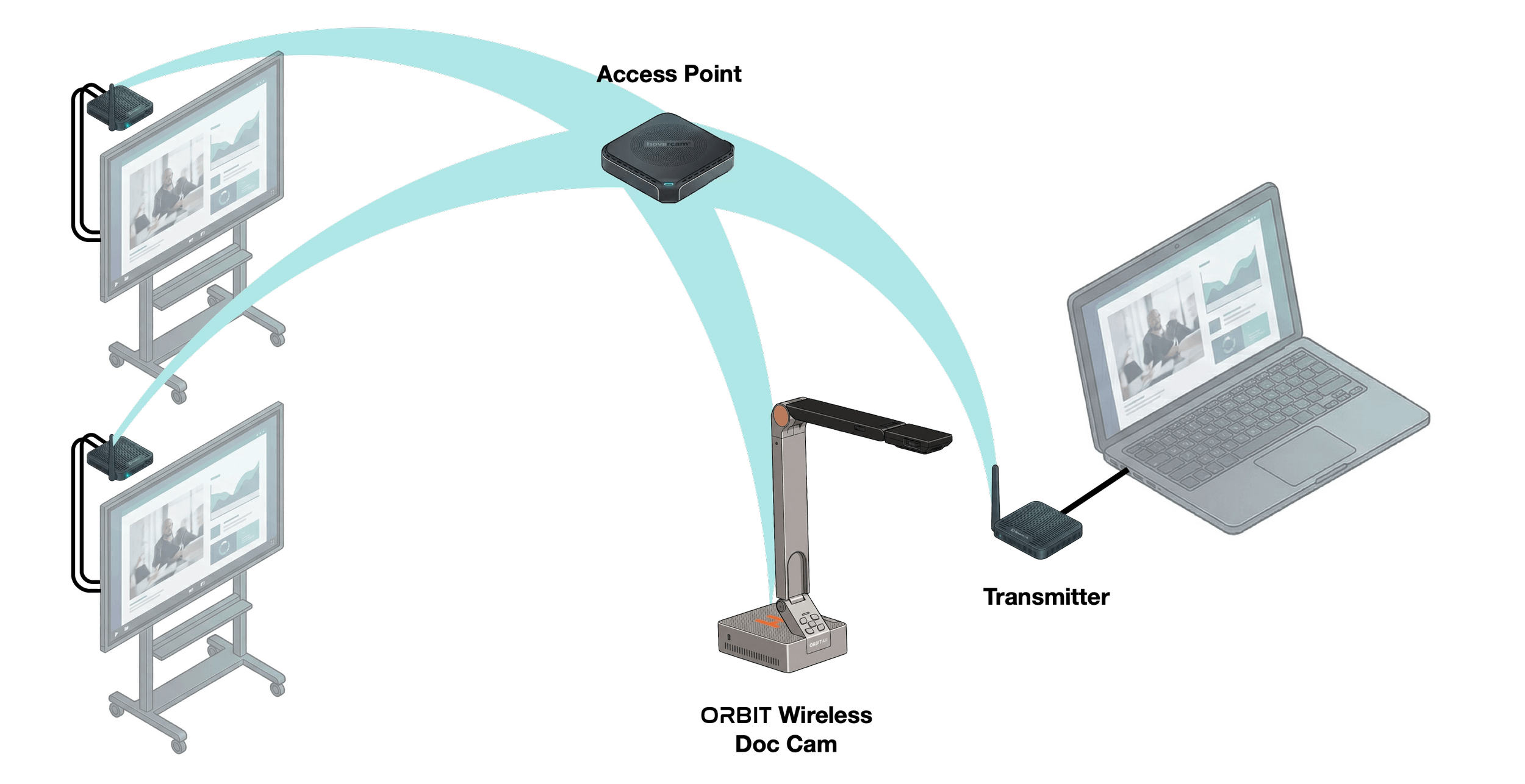
Expand to a three-way matrix with a wireless document camera.
- Cast your laptop and a wireless HoverCam ORBIT doc cam to your display—simultaneously
- AP routes doc cam to receiver (HDMI display) OR to computer (USB UVC video)
- Computer sees doc cam as local webcam
- Switch modes with remote: fullscreen, split-screen, or picture-in-picture
Cast to Multiple Displays
Achieve one-to-many casting with additional receivers.
- Add receivers—one per display
- Each receiver connects via HDMI + optional USB-Touch
- Configure each display independently via remote
- Show same sources or different sources per screen
- Any display mode: fullscreen, split-screen, or picture-in-picture

Multiple Computers to One Display
Enable many-to-one casting for collaboration.
- Add transmitters—one per laptop
- Each transmitter connects via USB-C, communicates through AP to receiver
- Switch between computers in fullscreen mode
- Or show multiple laptops simultaneously (split-screen or picture-in-picture)
- Perfect for collaborative presentations
Full Classroom Matrix
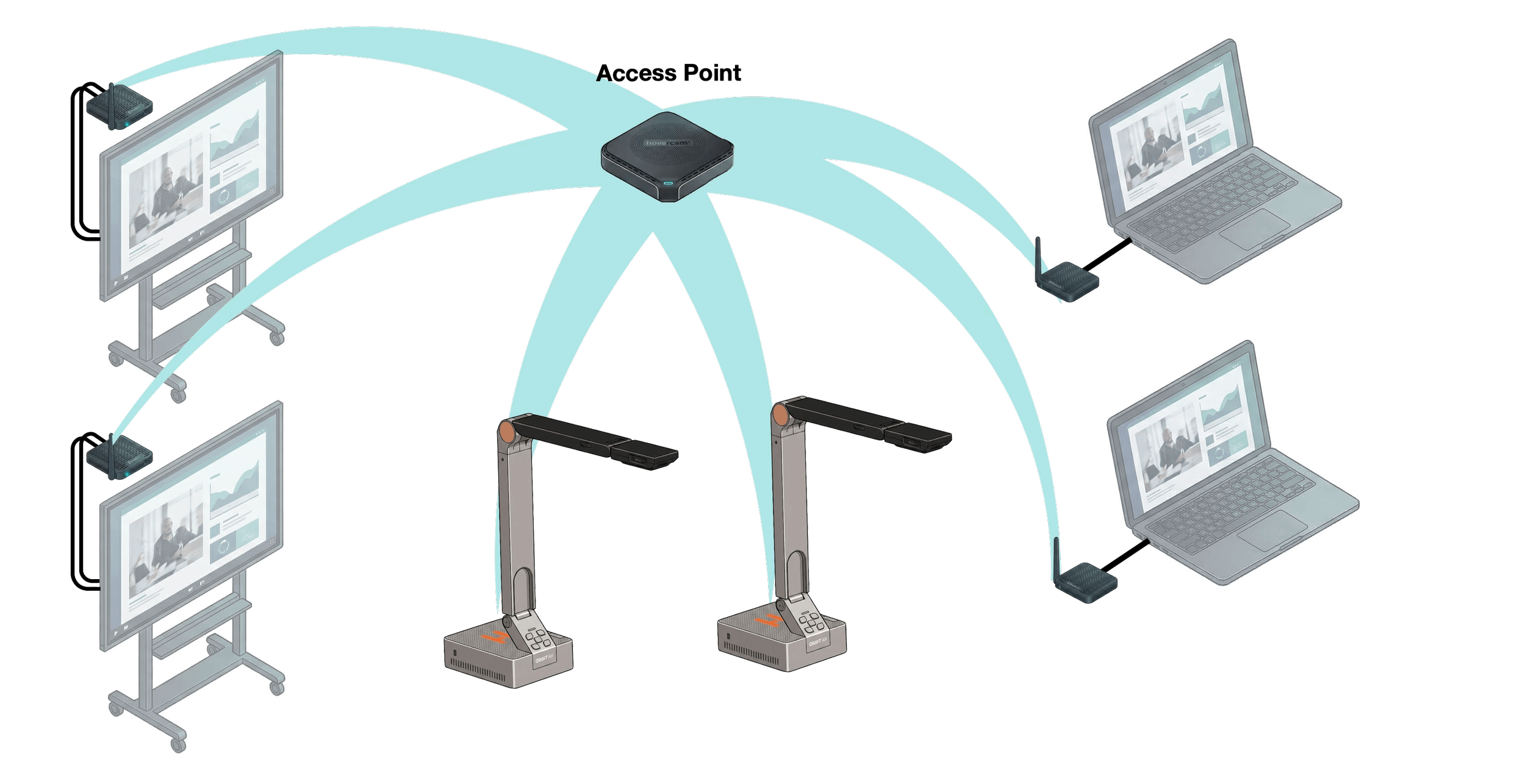
Achieve many-to-many casting for advanced classroom environments.
- Multiple transmitters (one per laptop) + multiple receivers (one per display) + multiple ORBIT cameras
- AP routes any source to any display
- Control what each receiver displays via remote
- Gallery view (split-screen all devices), picture-in-picture (primary + floating window), or fullscreen
- Scale infinitely to meet any classroom configuration
How DreamLink Benefits Your School
For Teachers
Move freely around your classroom—no more being tethered to the board. Plug-and-play setup means more time teaching, less time troubleshooting technology.
For IT Teams
Works with all operating systems and existing hardware. Off-network design means zero security vulnerabilities, no support tickets, and no complex configuration. Future-proof with standard USB and HDMI protocols.
Enterprise-Grade Security
Isolated Network Segment
DreamLink creates its own private wireless network that operates completely independently from your school or enterprise network infrastructure.
USB/HDMI Fire Gap
All connections to computers and devices use secure wired USB or HDMI links, creating a natural "fire gap" that prevents network-based attacks from reaching your infrastructure.
No Global Root Passwords
Unlike other vendors who expose global root passwords that students can easily exploit (often listed on manufacturer websites and restored with a simple reset button press), DreamLink uses factory-paired authentication with no accessible passwords.
No Network Exposure
Since DreamLink never touches your existing network, there's no need for network configuration, firewall rules, or VLAN setup. IT departments can deploy with confidence.
Encrypted Communication
All wireless transmissions between DreamLink components are encrypted, ensuring content security without requiring complex network security policies.
Zero Cloud Dependency
DreamLink operates entirely on-premises with no cloud connectivity required. Your content never leaves your facility, ensuring complete data sovereignty.
Plug-and-Play Security
Factory-paired components eliminate the risk of rogue device connections. Only authenticated DreamLink devices can communicate with each other.
Widely Compatible
Thanks to USB and HDMI

Windows

macOS

Chrome OS
Android

Interactive Flat Panels
Projectors

HDMI

USB
The Beauty of Universal Standards
DreamLink leverages generic HDMI and USB protocols—industry-standard technologies that have been perfected over decades. Because HDMI and USB are universal, DreamLink is operating system agnostic and works seamlessly with Windows, Mac, Chromebook, and more without proprietary software, custom drivers, or compatibility concerns. Whether you have the latest Interactive Flat Panel or a legacy projector, DreamLink simply works. This standards-based approach ensures your investment is future-proof: as you upgrade displays or add new devices, DreamLink adapts without requiring updates or replacements.
System Requirements: Casting devices require a USB-C port that supports DisplayPort Alt Mode (standard on most modern laptops). Displays require an HDMI input port.
Windows® is a registered trademark of Microsoft Corporation. macOS® and the Apple logo are trademarks of Apple Inc., registered in the U.S. and other countries. Google Chrome™ and Chrome OS™ are trademarks of Google LLC. Android™ is a trademark of Google LLC. HDMI, the HDMI Logo, and High-Definition Multimedia Interface are trademarks or registered trademarks of HDMI Licensing Administrator, Inc. in the United States and other countries. USB® is a registered trademark of USB Implementers Forum. All other trademarks are the property of their respective owners. DreamLink is not affiliated with, endorsed by, or sponsored by any of these companies.
Scalable Solutions for Any Classroom

Starter Casting Kit
For basic one computer to one display casting
- 1x USB Transmitter
- 1x USB & HDMI Receiver
- 1x Access Point (AP)
- Expandable with additional nodes

Trio Casting Kit
For simultaneous computer + doc-cam casting
- 1x USB Transmitter
- 1x USB & HDMI Receiver
- 1x ORBIT Wireless Doc Cam
- 1x Access Point (AP)
- Expandable with additional nodes

Pro Casting Kit
For multidevice computer + doc-cam casting
- 2+ USB Transmitters
- 2+ USB & HDMI Receivers
- 2+ ORBIT Wireless Doc Cams
- 1x Access Point (AP)
- Expandable with additional nodes
Seamless Display Control
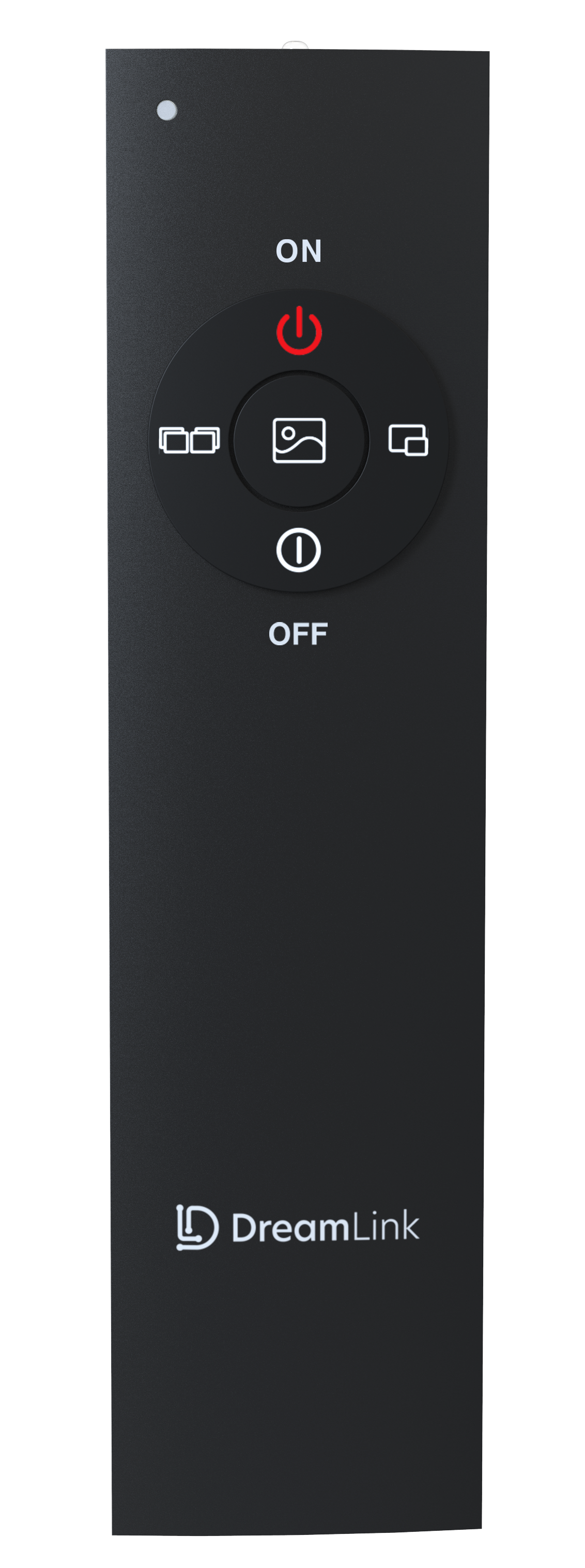
Included Remote Control
The DreamLink remote is included with all packages, giving you effortless control over your display setup. Switch between inputs, toggle display modes, and manage your classroom presentation with ease.
Display Modes: Choose fullscreen for focused instruction, picture-in-picture (PiP) for multitasking, or gallery view when showcasing multiple sources simultaneously.
Perfect for Expanded Setups: When you have multiple transmitters and receivers, the remote becomes essential for seamlessly switching between different computers, document cameras, or display configurations.
How DreamLink Compares
| Feature | DreamLink | Other Solutions |
|---|---|---|
| Network Setup | Creates its own isolated wireless network. No IT configuration, no firewall rules, no VLAN setup required. | Most require integration with existing school network, often needing IT department configuration and ongoing maintenance. |
| Software Installation | Zero software or drivers needed. Appears as native USB/HDMI to your operating system. | Typically requires downloading apps, installing drivers, and managing updates across all devices. |
| Initial Setup | Plug in the factory-paired dongle and start casting immediately. No configuration screens or login credentials. | Usually involves pairing procedures, network connection setup, and multiple configuration steps before first use. |
| Device Compatibility | Operating system agnostic for wide compatibility with PCs, Macs, and Chromebooks with USB-C ports supporting DisplayPort Alt Mode. Outputs to HDMI displays including IFPs, TVs, and projectors. | Often limited to specific operating systems or require different apps for different platforms. |
| Document Camera Integration | ORBIT wireless document camera included in Trio and Pro kits, seamlessly integrated into the ecosystem. | Document cameras typically sold separately and require additional setup and separate wireless connections. |
| Pricing Model | One-time purchase. No recurring subscription fees, no per-device licensing, own it forever. | Many solutions require annual subscription fees, per-room licensing, or recurring cloud service costs. |
| IT Support Requirements | Minimal to none. Off-network design means no network conflicts, no firewall issues, no support tickets. | Often require ongoing IT support for network configuration, troubleshooting connectivity issues, and managing updates. |
| Security Approach | Hardware-isolated network with USB/HDMI "fire gap" that never touches your existing infrastructure. No global root passwords—factory-paired authentication only. | Network-based solutions expose your infrastructure to potential vulnerabilities and require security policies. Most rely on global root passwords that are publicly documented and easily restored via reset buttons. |
No Subscription Fees
Pay Once. Own Forever.
DreamLink uses a one-time purchase model with no recurring subscription fees. Unlike competitors charging annual fees per device, your investment in DreamLink pays for itself.
Year 1
$0
in subscription fees
5 Years
$0
in recurring costs
Total Savings
Thousands
over competitors
DreamLink + ORBIT Trio
Combine DreamLink's wireless casting with the ORBIT Trio document camera for a complete classroom solution. Cast your computer screen and physical documents simultaneously to any display.
Learn About ORBIT Trio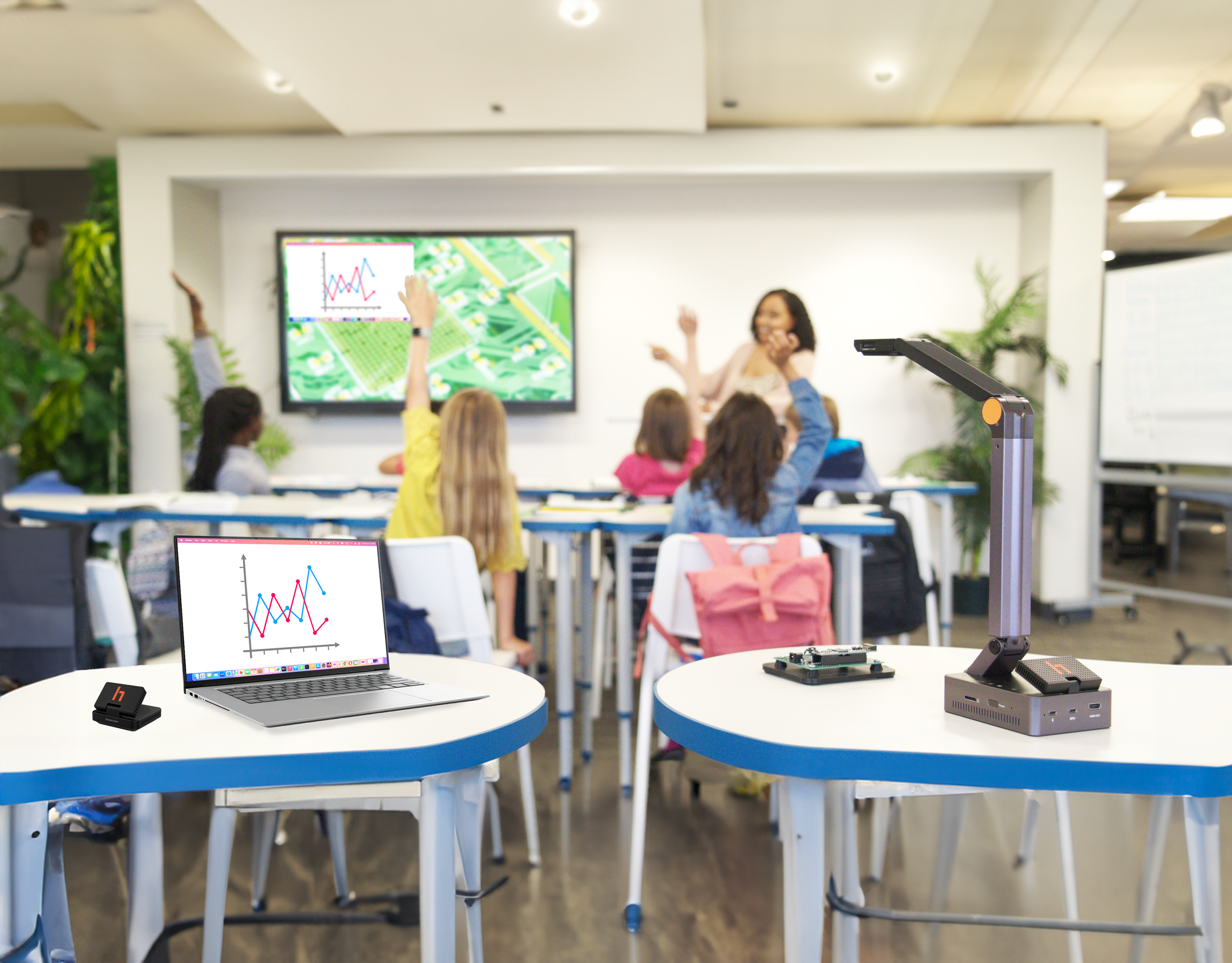
Individual Components
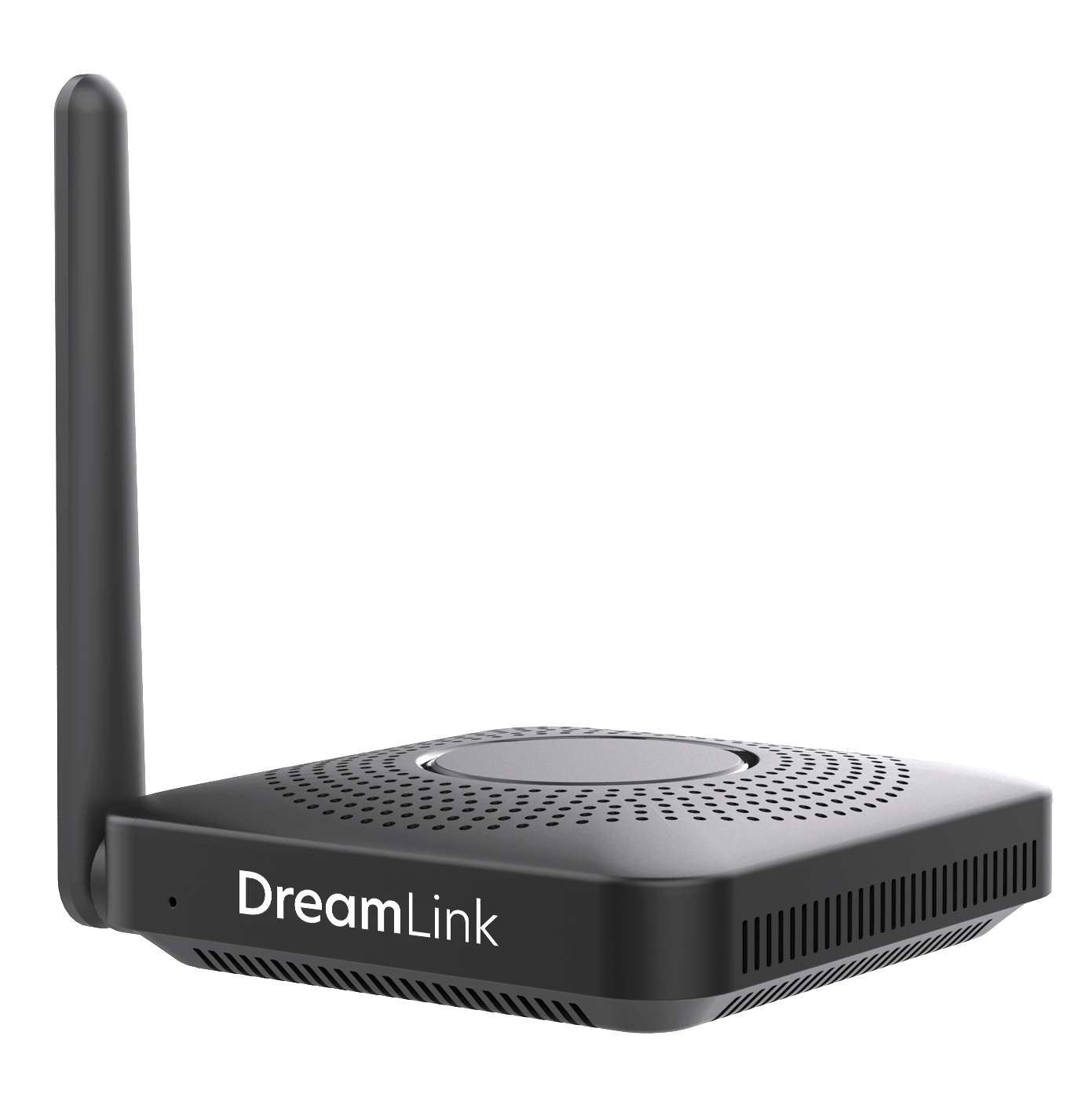
Transmitter (TX)
USB transmitter dongle that connects to your computer and wirelessly sends your screen to displays.
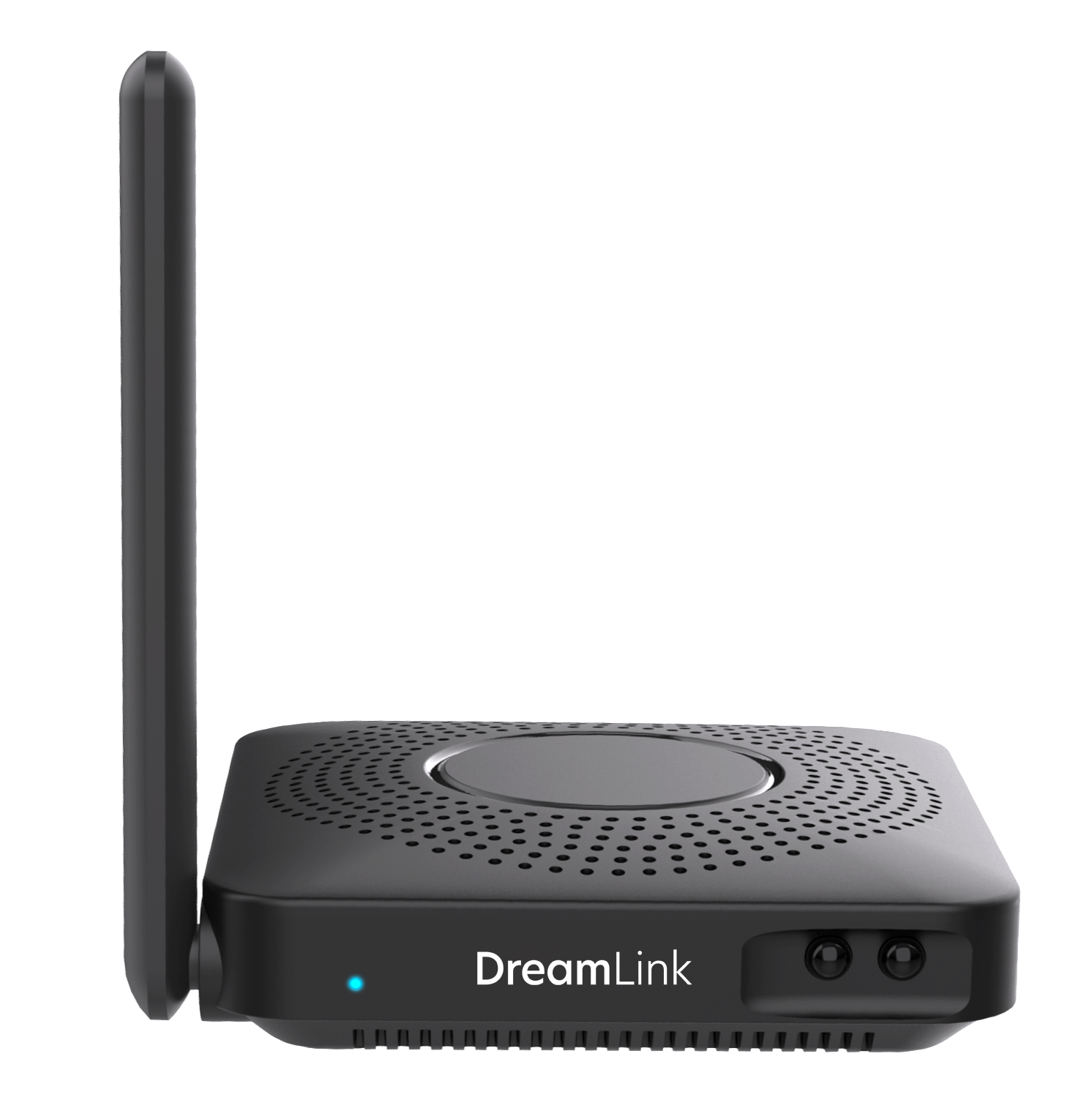
Receiver (RX)
USB & HDMI receiver that connects to displays and receives wireless video signals.
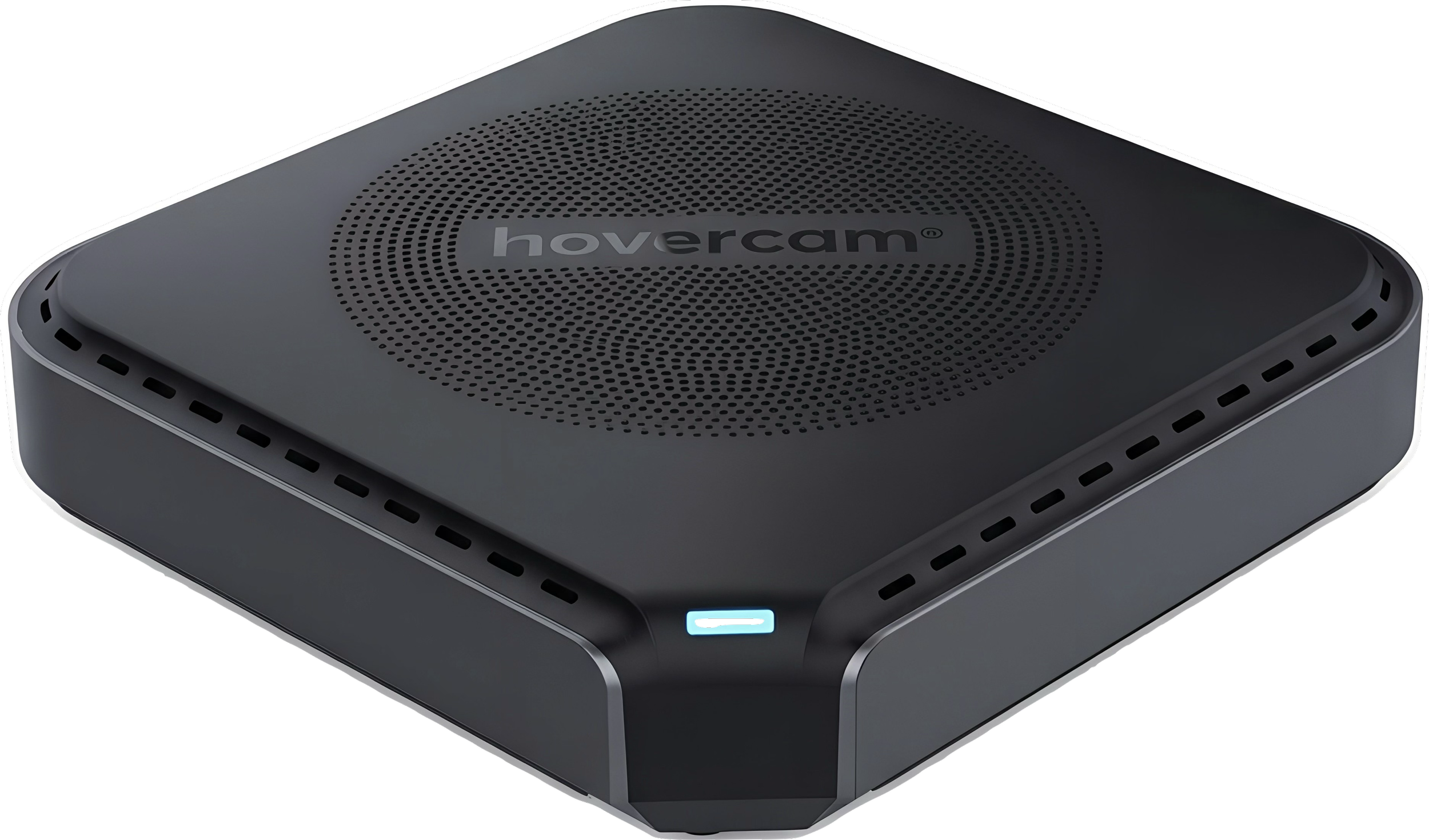
Access Point (AP)
Central hub that manages wireless connections between transmitters and receivers.
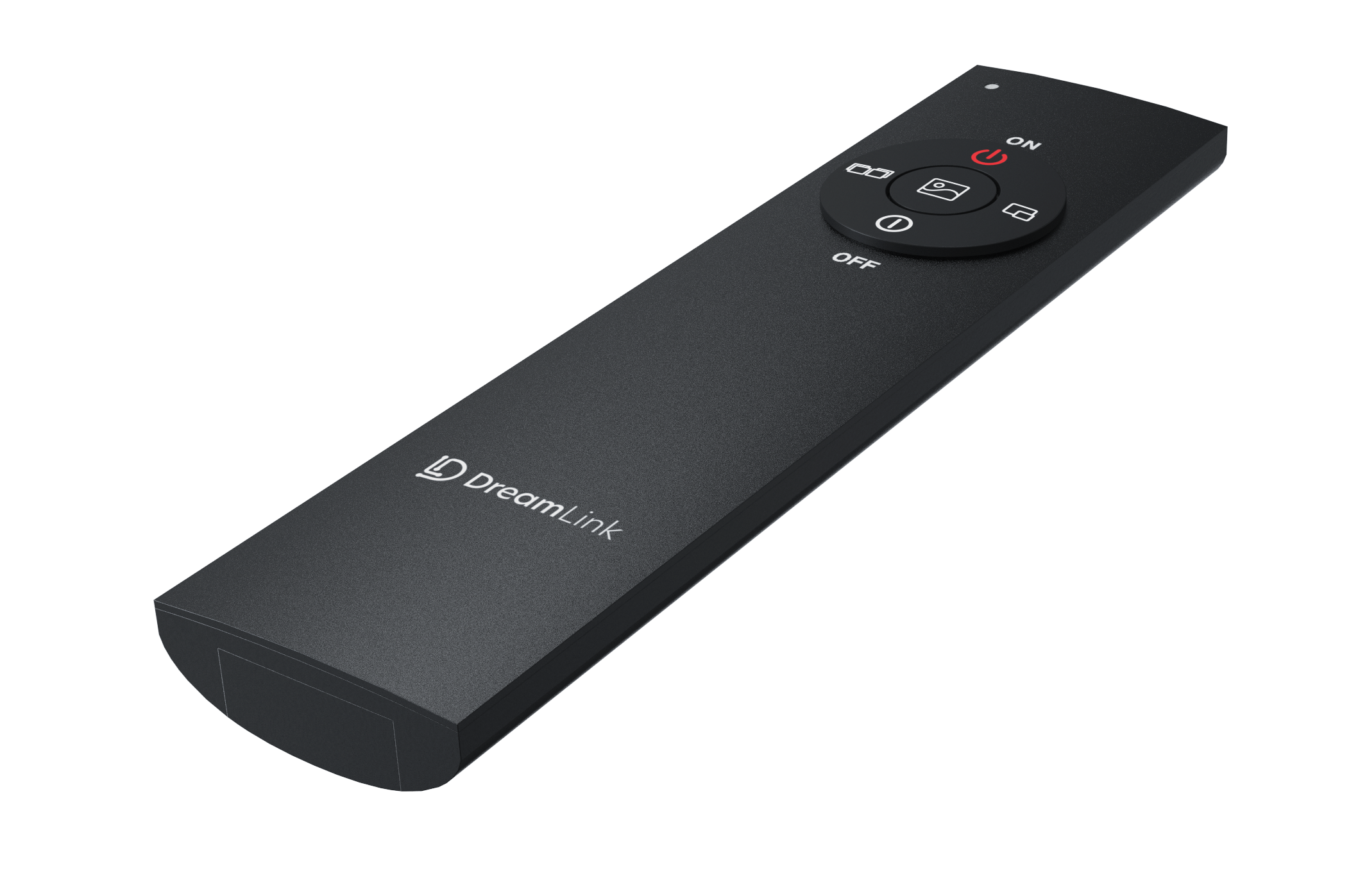
Remote Control
Included wireless remote for switching display modes, inputs, and managing multi-source setups.
The DreamLink Difference
Plug-and-Play
Connect the factory-paired transmitter dongle to your laptop, and casting starts automatically. No setup screens. No network settings.

No Software No Drivers
Automatically appears as a USB or HDMI connection to your devices. No downloads required.

Not On Your Network
Creates its own network segment, completely isolated from existing network infrastructure.
High Resolution
Supports up to 4K for crystal-clear casting, so every student has a front row seat.

Wide Compatibility
Operating system agnostic—works with Windows, Mac, and Chromebook. Requires USB-C port with DisplayPort Alt Mode (standard on most modern laptops). Outputs to any HDMI display.

Security First
Encapsulates all wireless networking inside its own hardware, with USB or HDMI as a natural fire-gap that keeps your existing network untouched.
Classroom Mobility & Flexibility
Teach from anywhere in the room. No more being stuck at the board, or at the desk.
Scalable
Future-proof & software-agnostic design allows for the addition of new devices as you grow.
Interactive
Interactive flat panel (IFP) compatible with Touch-USB backchannel support built-in.