The only wireless document camera that is
Some competitors also say their camera's aren't on your network, but they are misleading you:
Most competing cameras rely on a USB plug-in NIC (Network Interface Card) to create a peer-to-peer wireless link, then claim their system is “not on your network.” In reality, the presence of a secondary NIC or P2P connection does not determine whether a device is on your network.
The true test is whether the vendor installs any driver or application code on your host computer (e.g., the teacher’s device). Most solutions require custom drivers, meaning they are on your network—regardless of any secondary NIC or P2P link.
Vendor-supplied network drivers and proprietary networking code represent one of the largest sources of backdoors, trojans, and security vulnerabilities. These custom implementations are rarely tested or certified, and securing them comprehensively is extremely difficult.
Even the largest technology companies have recently suffered major security breaches from such code. School districts should not be expected to fully vet every camera or casting vendor’s security practices.
Orbit’s solution is engineered from the ground up for maximum security. We encapsulate the entire TCP/IP stack and wireless networking logic inside an external network of dongles. These dongles connect to the host computer only via simple USB or HDMI cables.
This wired-wireless hybrid architecture creates a natural firewall (air gap) between our wireless links and your network. No proprietary drivers or applications need to be installed on the host computer.
This is the true definition of a “Not-On-Your-Network” wireless system—an isolated loop completely outside your WiFi network.
Any potential vulnerability in our wireless code cannot cross the wired firewall to reach your computer or your network.
Orbit Pro uses mmWave (60GHz Radio Frequency) technology instead of Wi-Fi for wireless transmission. Users should understand that mmWave does not pass through objects, and requires a clear line of sight between the camera and receiver dongle.
While mmWave offers significant advantages, it requires proper installation and awareness to maintain a clear line of sight. Temporary signal loss may occur if the line of sight is obstructed—this is normal and can often be minimized or eliminated with proper setup and optimization.
We strongly recommend testing Orbit Pro in a real classroom environment with students and teachers present before making a final purchase. HoverCam’s warranty covers material defects but does not cover brief signal loss due to line-of-sight issues, which can typically be resolved through technical assistance and adjustments in usage practices.
Read the full disclosure here:
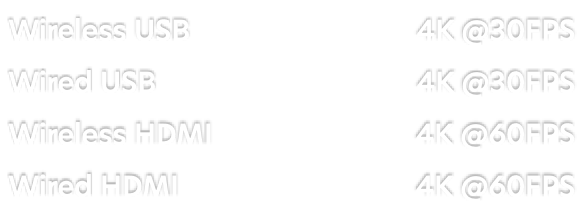


Provides stunning details, crisp text, and remarkable image clarity.


800x total zoom. And thanks to our patented Adaptive Sensor Resolution (ASR) technology, you can zoom-in 4x before losing resolution.
Record videos, take snapshots, and adjust the camera image with the built-in microphone and convenient onboard controls. Store hours of lessons on the integrated 16GB Solid-State Drive (SSD).
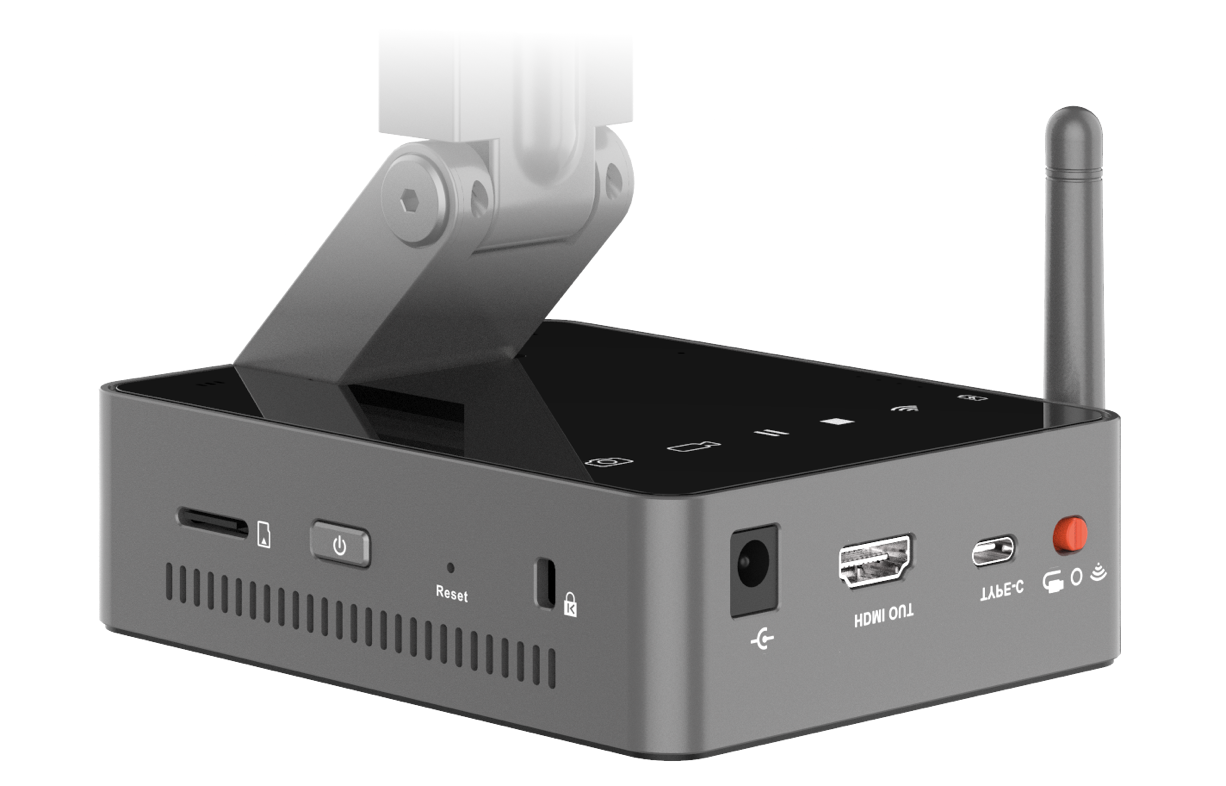

When we say “wireless”, we mean it. Get 6+ hours of all-day wireless teaching thanks to the powerful 9800 mAh battery.
Nobody likes giant document cameras. Orbit folds down to stuff-in-your-bag size for use on the go.

With features such as Annotation, Picture-in-Picture, and Lesson Recording, our award-winning Flex 11 software takes your Orbit to a whole new level.

Restore face-to-face engagement with the Picture-in-Picture feature, which uses your webcam to show your face while your document camera shows the content being taught.

Freehand draw on top of the live camera image (and recordings), create shapes, type text boxes, and more. Use the digital whiteboard to interact with your doc cam’s media in ways you never thought of.

Easily record lessons with the touch of a button. Use desktop sharing and screen recording to show and record other programs (with your Picture-in-Picture window and annotations recorded, too!)